
Hybrid systems

Every participant screen on one display
Instead of walking from desk to desk, the whole training room lies as a grid on the touchscreen at the instructor station, and one tap brings a picture into the room.
What Vision does
What the grid view of a training room shows
alphaX Vision shows up to 16 participant screens at once as a grid on one central display, making visible what is being worked on across the computer lab.
The grid is shown on the EBS Touchscreen Pro at the instructor station. From the overview, a single picture can be passed on: to a display in the room or to a projector, so that the whole course can follow. The extension builds on an existing alphadidact® Digital installation.
In examinations, the overview takes the place of walking the rows. The invigilator sees every workstation on one screen, and a piece of work that is to be discussed is shown without any fuss.
alphaX Vision has been announced and is not yet generally available. For rooms whose equipment is being planned now, it is worth asking about the timetable before the instructor station and the size of its touchscreen are settled.
The view at the instructor station
The room as a grid, one picture as the selection
The tiles show the workstations in the arrangement the rest of the interface uses as well: the seating plan of the room, not an arbitrary list. Below the grid sit the familiar buttons of the installation, which send a picture to the room display, to the projector or to every workstation.
See the interface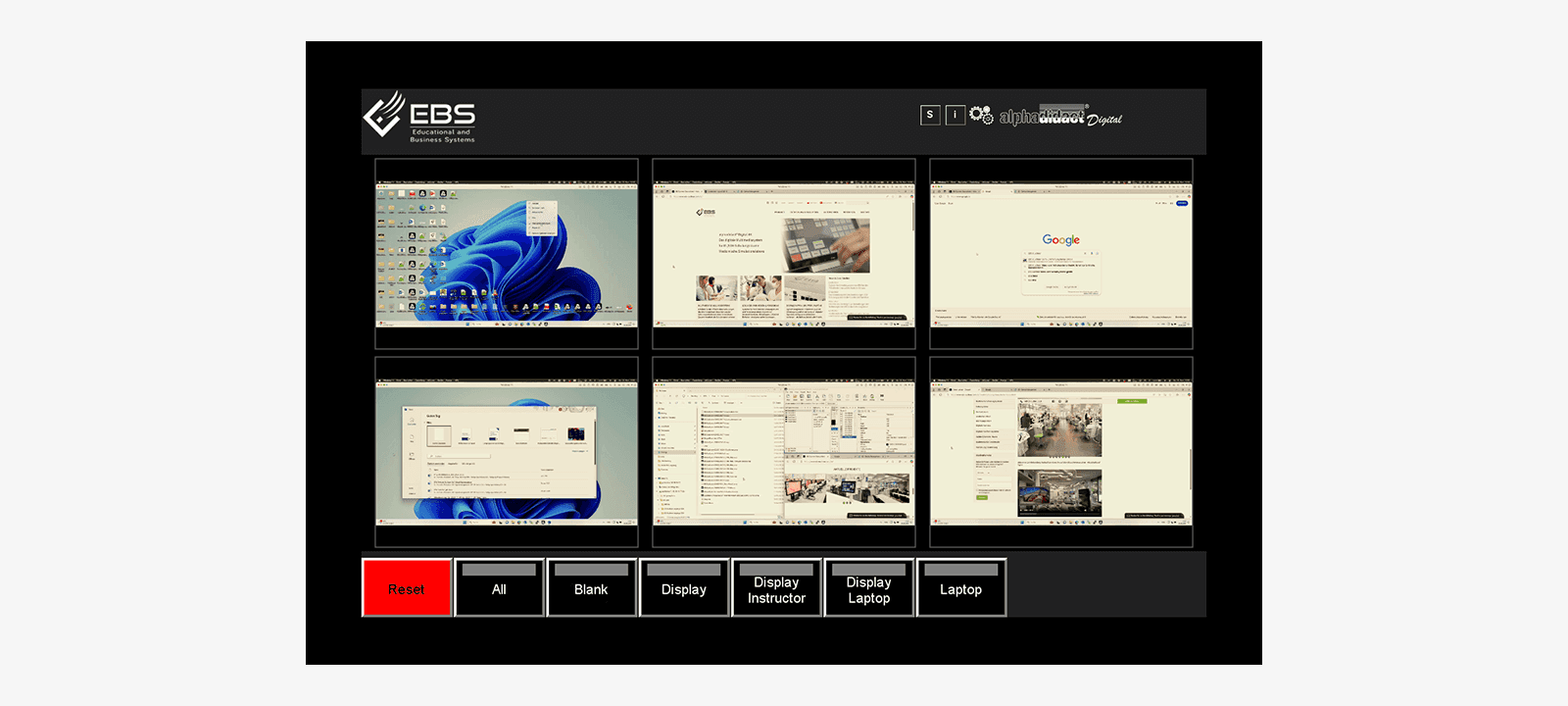
Technical data
alphaX Vision at a glance
What has been settled about the grid view so far. These rows give the announced state, not a commitment for a tender under way.
- Function
- simultaneous display of several participant screens
- Screens at once
- up to 16
- Presentation
- grid (split screen)
- Display device
- EBS Touchscreen Pro at the instructor station
- Passing on
- a single picture to the room display or the projector
- Operation
- touchscreen
- Basis
- an existing alphadidact® Digital installation
- Availability
- in preparation
How many tiles a room can usefully show depends on the size of the touchscreen and is settled when the instructor station is planned.
Next step
How many workstations should the overview show?
The number of workstations and the size of the instructor station decide how the grid is divided. Name both, and a proposal for the interface comes back.
Interfaces are built in house in Heusenstamm near Frankfurt, one for each room.