
Microscopy
The microscope image on every screen
Anyone looking through their own eyepiece cannot see what the lecturer sees; only sharing the image on the screens makes the specimen visible to the whole course.
The basics
What image sharing does in a microscopy teaching lab
The image from a microscope camera can be carried over dedicated video cabling to the screens at every seat of a microscopy teaching lab; the signal does not travel over the computer network and is not compressed along the way.
alphadidact® Digital consists of transmitter and receiver boxes that sit next to the equipment: one box at the output of the microscope camera, one box behind every screen. To put the image from one seat on all the others, you select it at the control unit — nothing changes on the participants' computers.
The image is transmitted uncompressed: no encoding to cost time and no buffer to hold it back. Between the movement at the stage and the picture on the screens of the course, nothing lags in a way that would disturb anyone following along.
Signal path
Any seat can be the source
The source is not tied to the lecturer's position. Where a participant's seat carries a microscope camera with its own transmitter box, that image can equally be put on all the other screens — for discussing a finding together, or for correcting work directly on the participant's own specimen.
View alphadidact® Digital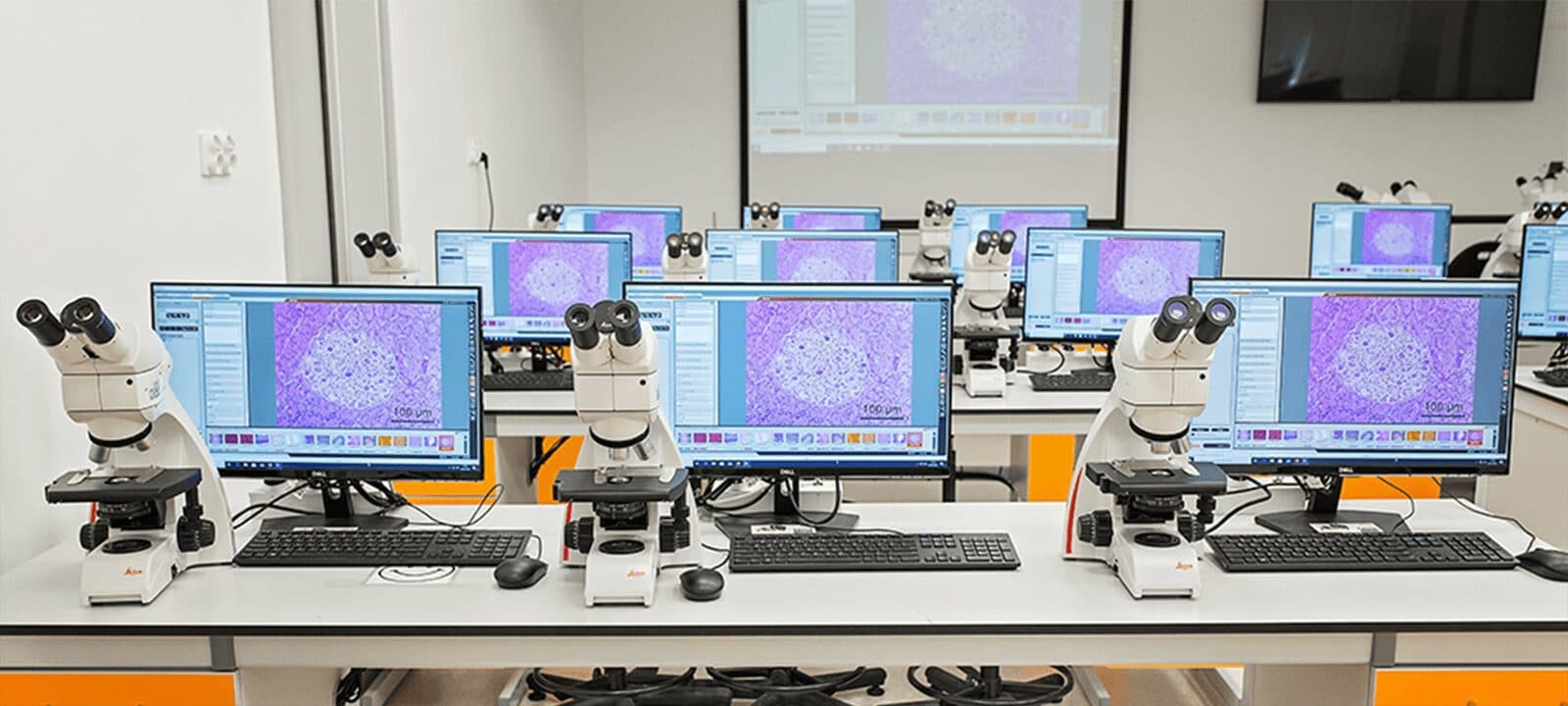
Operation
Switching without looking away
The system is operated from a touch panel, a system keyboard, a tablet or the RS-232 interface of an existing building control system. The tablet talks to the system directly over Bluetooth and joins no network; changing the source remains a single keystroke and does not interrupt the course.
View the control units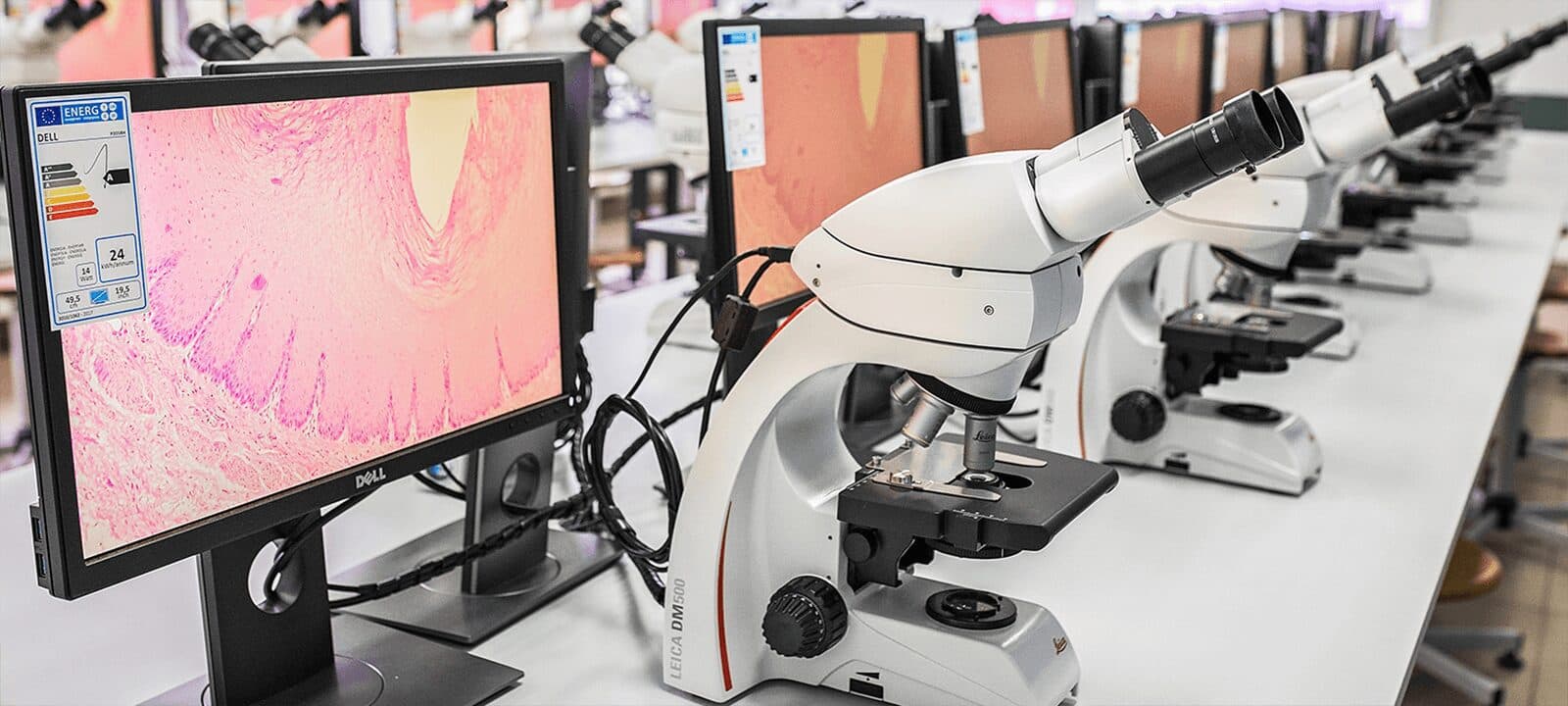
Technical data
What is installed in a microscopy teaching lab
The figures apply to the video and audio path of alphadidact® Digital, whichever microscope stands at the start of it.
- Connector on the boxes
- DVI-D (HDMI signal, with sound)
- Image transmission
- uncompressed, with no encoding and no buffering
- Network
- not required — the image runs over dedicated cabling
- Star topology capacity
- up to 100 workstations with a satellite arrangement
- Ring topology capacity
- up to 50 student positions
- Signal conditioning
- extenders and repeaters recondition the video signal — DVI, no network
- Operation
- touchscreen, system keyboard, tablet over Bluetooth or RS-232
- Warranty
- three years, optionally extendable to five years
- Manufacture
- in house in Heusenstamm near Frankfurt
How many transmitter and receiver boxes a room needs follows from the floor plan and the number of microscopes. Both are settled on the room plan before the quotation.
Common questions
Questions from the planning of microscopy teaching labs
The points that come up regularly in tenders and preliminary discussions.
Does the microscope image travel over the institution's network?
The video signal runs over dedicated cabling between the transmitter and receiver boxes and touches neither the computer network nor the Wi-Fi of the institution. A microscopy teaching lab can therefore also be run in a room that is deliberately air-gapped from the building network. No additional data stream reaches the institution's IT department.
What connectors do the boxes have?
The sockets on the boxes are DVI-D, and what travels over them is an HDMI signal with sound. DVI-D connectors can be screwed down — an advantage in a permanently installed system, where the cabling is laid once and then left untouched for years.
How many seats can a microscopy teaching lab have?
A star arrangement supports up to 100 workstations by way of satellites, a ring arrangement up to 50 student positions. Which of the two topologies fits depends on the floor plan and on how many seats are themselves to act as a source.
Is there a visible delay between eyepiece and screen?
Between camera and screen there is no encoding to cost time and no buffer to hold the image back. What happens at the microscope therefore appears on the screens of the course with no noticeable lag — which matters wherever participants follow a procedure and then carry it out themselves.
Does it work with any microscope?
It is not the microscope that is connected but the camera on it: anything that delivers a video signal to the DVI-D input of the transmitter box can be fed in — a microscope camera, an attached computer or a document camera alike. Which manufacturer supplied the optics makes no difference to the transmission.
How long is the warranty?
EBS gives a three-year warranty on its systems, optionally extendable to five years. Manufacturing takes place in house in Heusenstamm near Frankfurt; the company has been in business since 1984.
Next step
Send a room plan, discuss the layout
A floor plan of the room with the planned seats and the number of microscopes is enough for a sound quotation. Topology, the number of boxes and the cabling follow from it.
EBS Euchner, Heusenstamm near Frankfurt — manufactured in house, customers in over 50 countries