Control
Media control in the training room: one tap on the seat.
You control alphadidact® Digital via the touchscreen at the instructor desk, the app on a tablet or smartphone, the system keyboard or your existing media control system. The logic is the same everywhere: tap the source, then the receivers.

- Touchscreen
- App
- System keyboard
- RS-232
Touchscreen
Touchscreen Core: your room on 10.1 inches.
The touchscreen shows your room as it is. We set up the interface for each room – usable without training. Try it on the replica.
- Layout for each room based on your seating plan
- Light or dark design, with your logo, in five languages
- Info page and timer for the course
- Also controls the 4x4 matrix, 6-2 switch and projector
 Training room 208:00
Core or Pro.
The Touchscreen Pro can additionally control the media technology around the room. We clarify which version fits with the room proposal.
| Function | Touchscreen Core | Touchscreen Pro |
|---|---|---|
| alphadidact® Digital by seating plan | yes | yes |
| 4x4 matrix, 6-2 switch, projector control | yes | yes |
| Linked rooms | no | yes |
| Projectors and displays | no | yes |
| Lighting and shading | no | yes |
| Audio | no | yes |
Interfaces as we set them up.
Eight examples – every layout is built from the seating plan of the room in question.
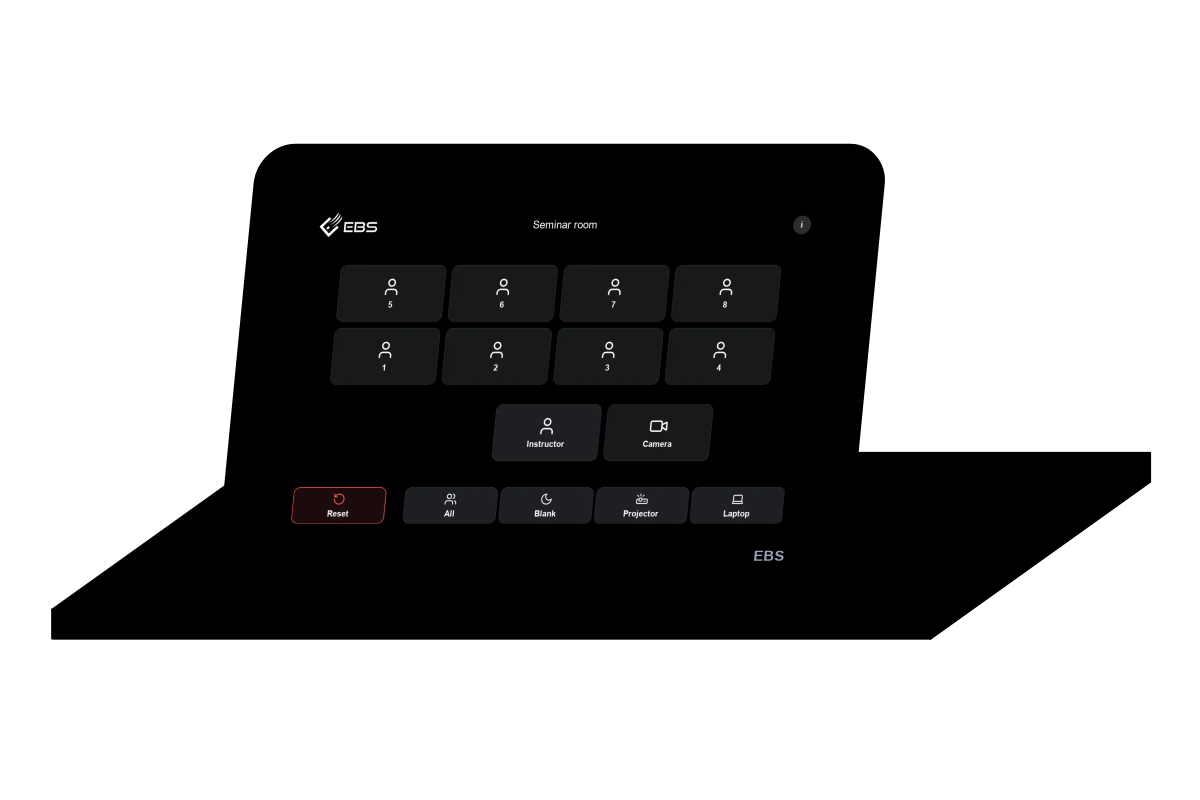
Seminar room with eight seats and camera 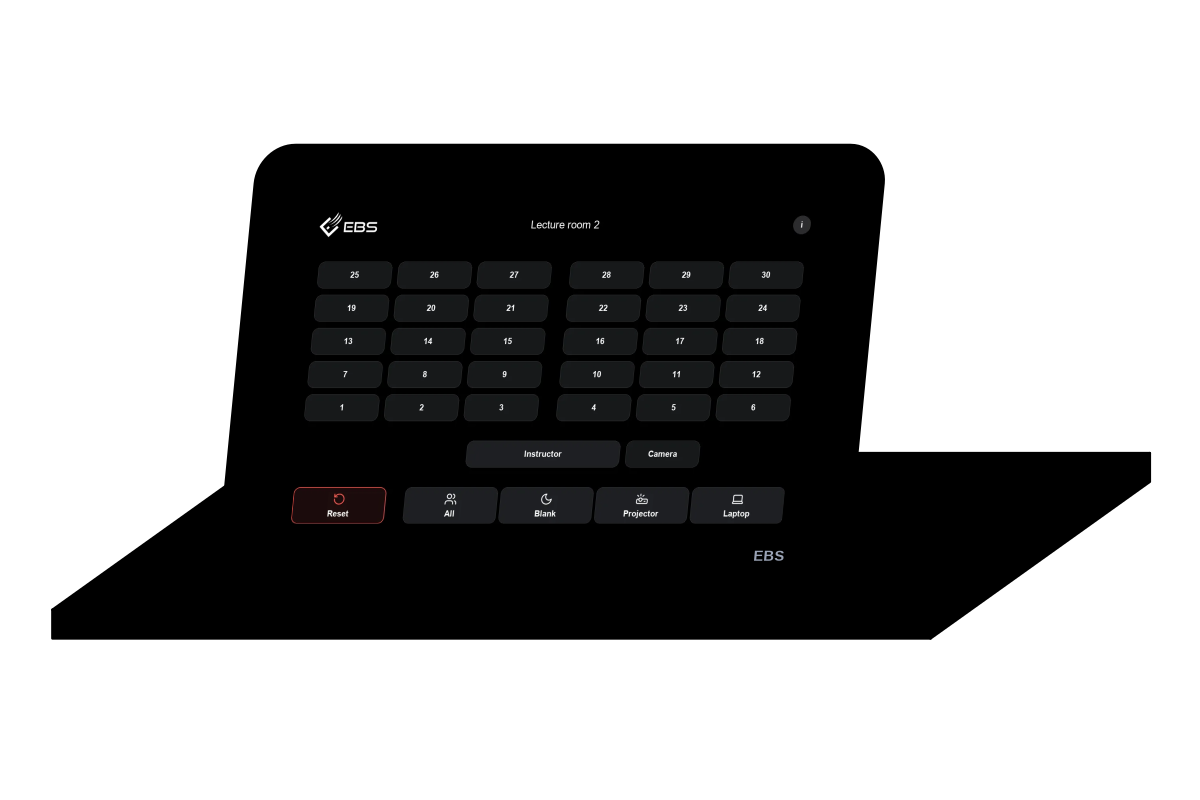
Large room with centre aisle 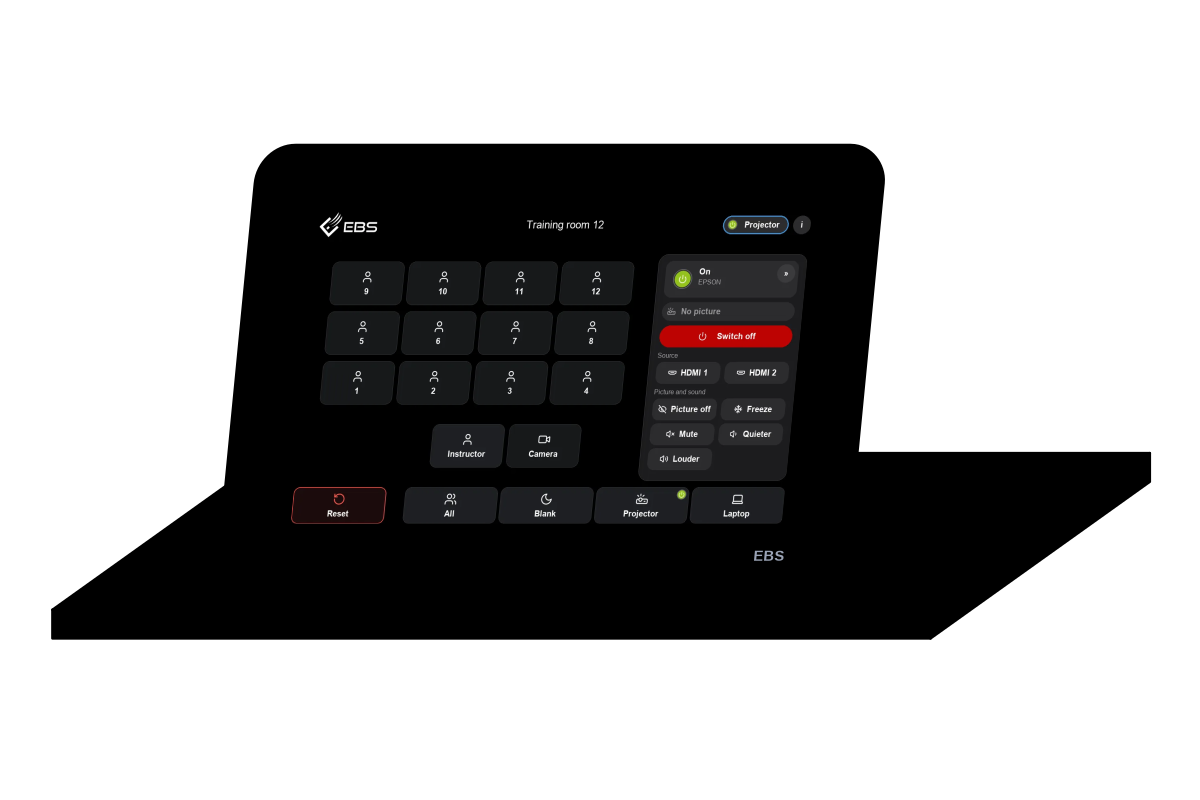
Projector control: on, off, source, picture and sound 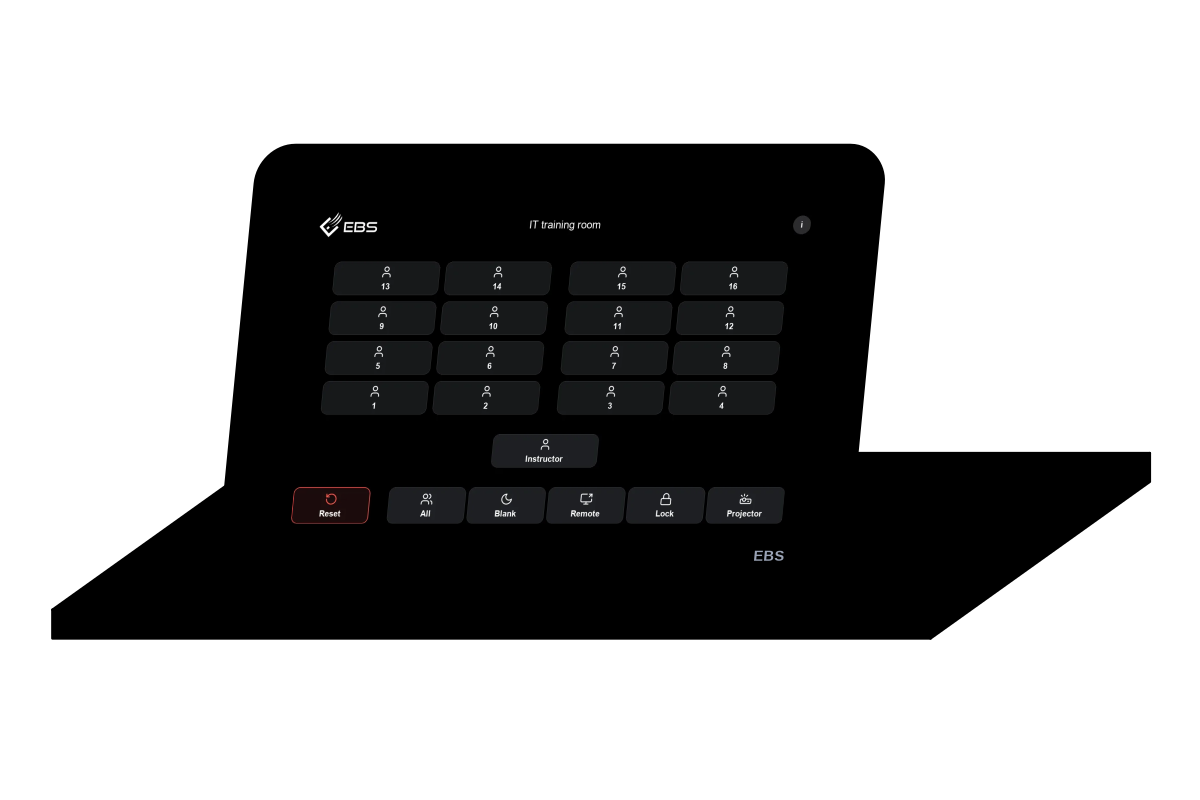
Remote control and lock of keyboard and mouse 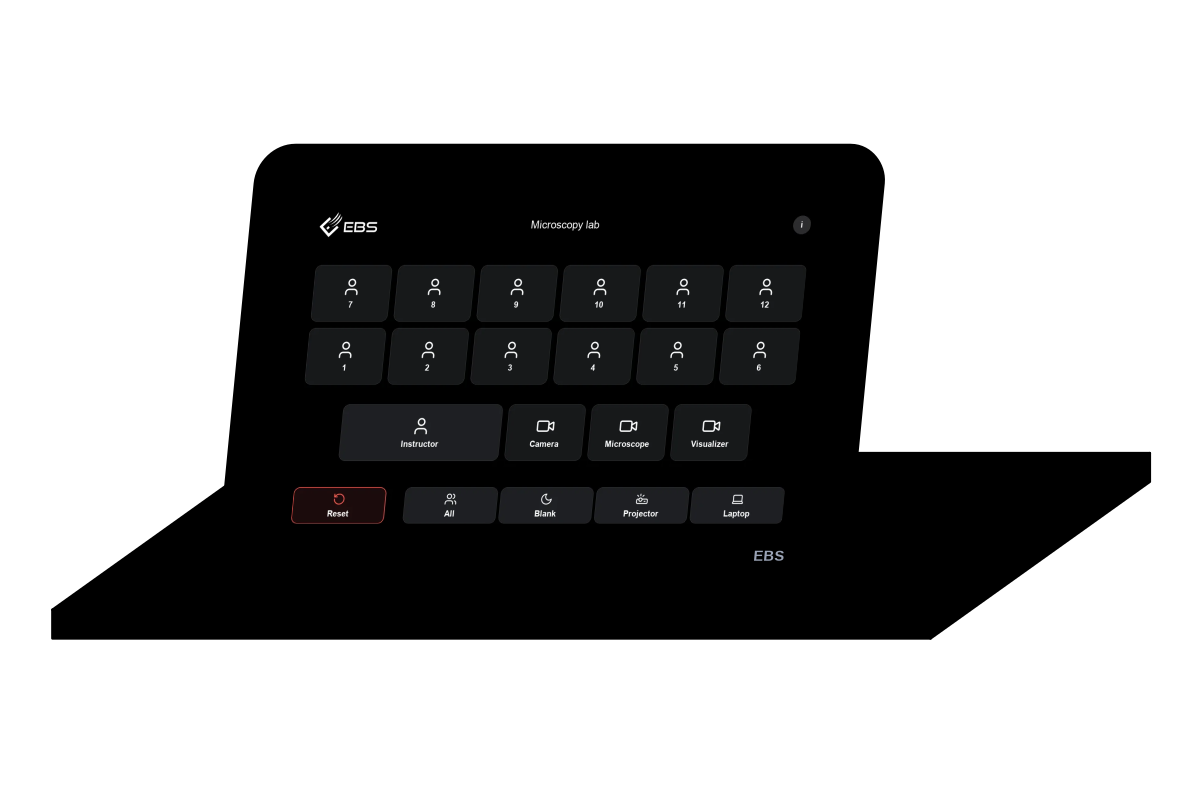
Microscopy lab with microscope and visualiser 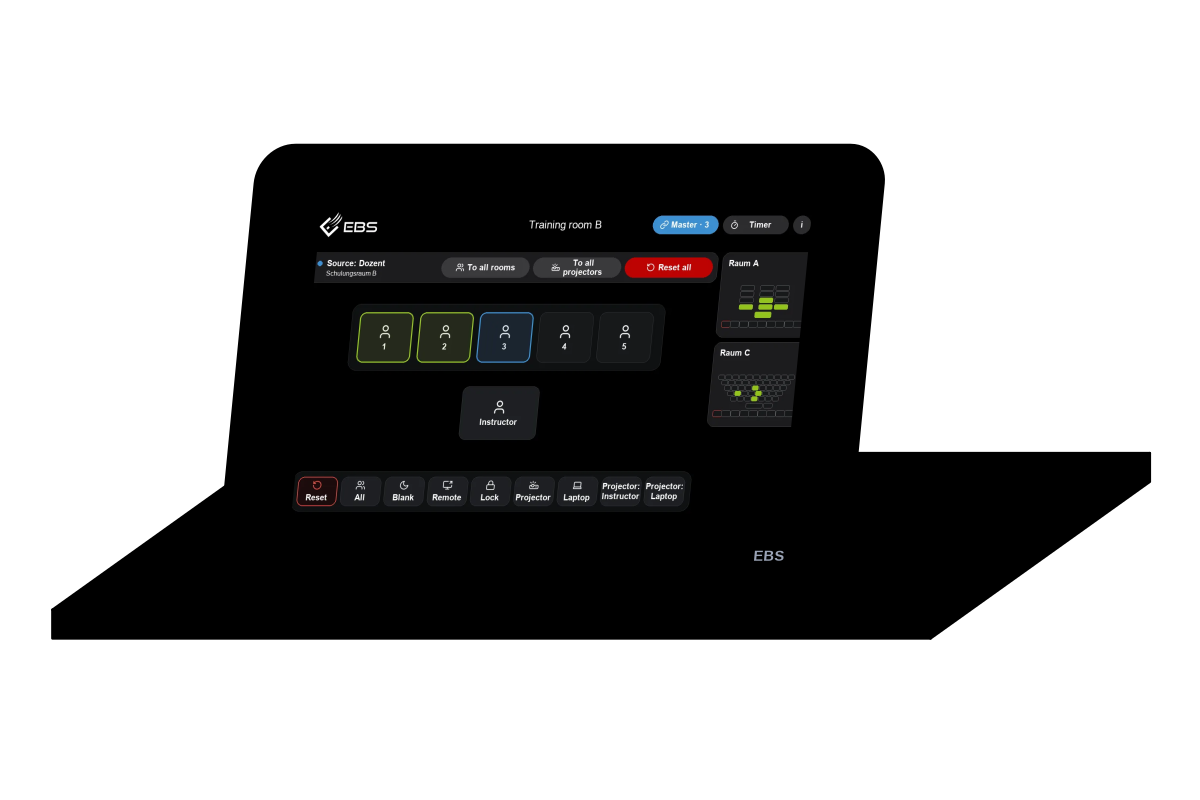
Room linking: control several rooms together 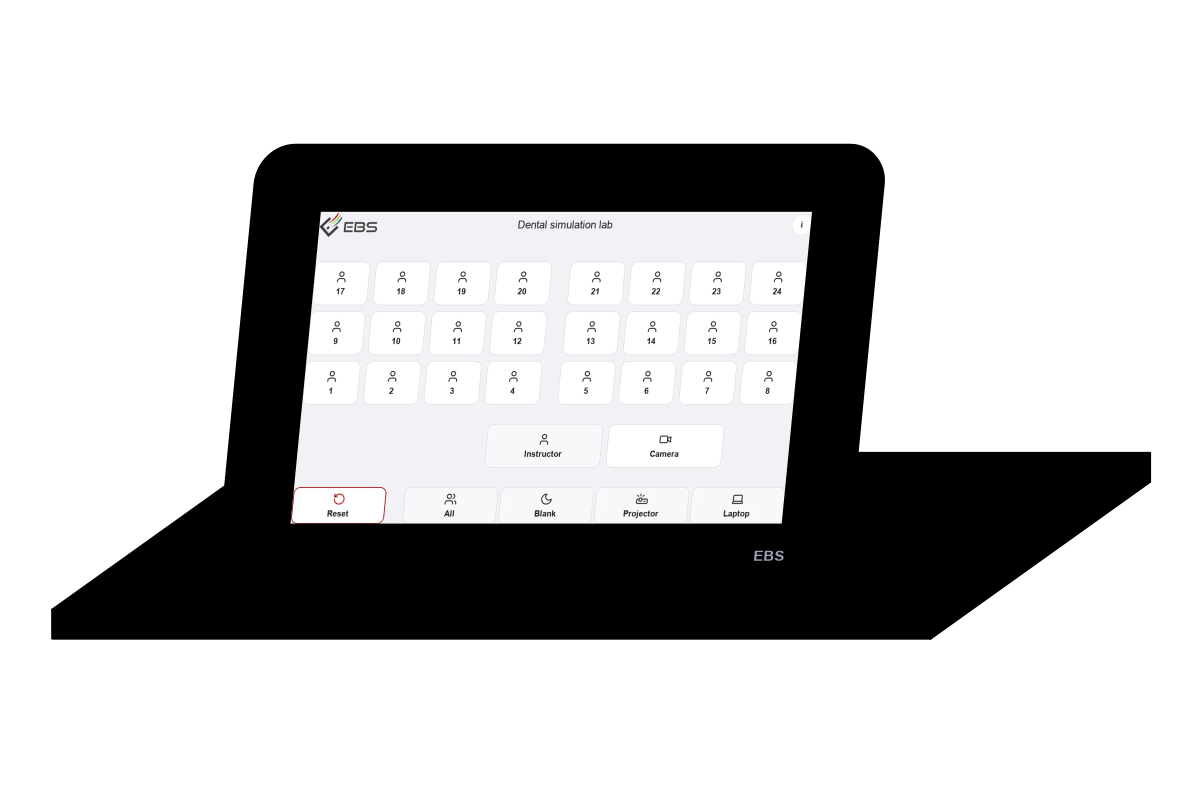
Light design in a dental simulation lab 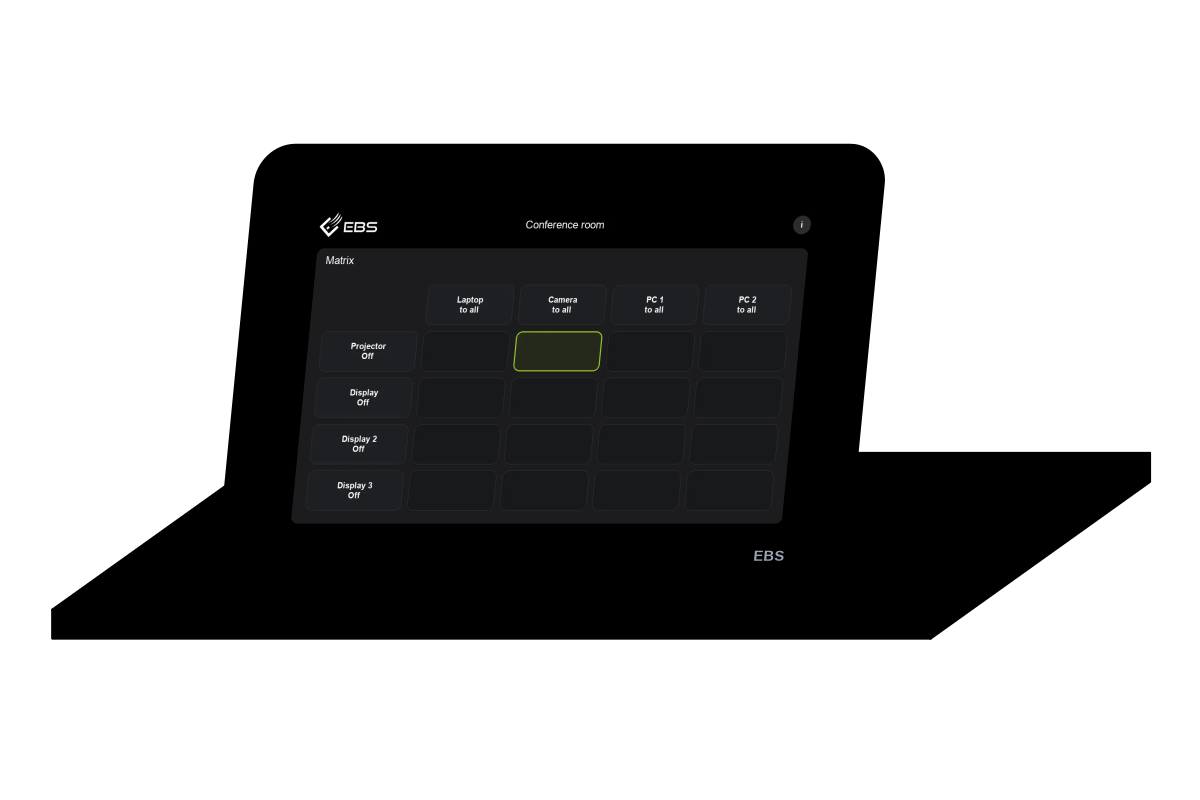
4x4 matrix: route sources to outputs with a tap
App
The same interface on tablet and smartphone.
The alphadidact app is free for iPhone and iPad; an Android version is in preparation. It connects to the room via Bluetooth – not via Wi-Fi.
- Scan the QR code in the room and the app shows its seating plan
- Move freely around the room and still switch everything
 Android version in preparation.

System keyboard
One key per seat, arranged like your room.
The system keyboard carries the seat keys in the arrangement of your seating plan, plus function keys and a red reset key. It is built robustly for daily use in labs, workshops and classrooms.

RS-232
Your media control system operates alphadidact® Digital too.
If a media control system already exists, integrate the system via the RS-232 interface – a separate panel is then not needed. The serial protocol with all commands is available on request.
- Seating plan and functions on your familiar interface
- EBS supplies the subsystem for the seats, your integrator the control
- The 4x4 matrix can be controlled this way as well
Comparison
Which control option suits your room.
The options can be combined – for example the touchscreen at the desk and the app on the move.
| Touchscreen | App | System keyboard | RS-232 | |
|---|---|---|---|---|
| Location | Instructor desk | mobile in the room | Instructor desk | Your control point |
| Connection | wired | Bluetooth | wired | serial, wired |
| Display | Seating plan, customisable | same as the touchscreen | Keys by seating plan | as set up by your integrator |
| Fits when … | the room has a fixed control point | instructors move around a lot | keys are preferred | a media control system is already there |
Frequently asked questions
Questions about control.
What instructors, facilities staff and IT want to know before deciding.
Request a consultationYou install them yourself: connect the touchscreen to a computer via USB-C and start the update in the browser (EBS Update). There is nothing to update on the PCs in the room.
On the touchscreen: a QR code leads to the room page with the manual for exactly this room.
Where radio is not wanted, you control the room wired via touchscreen, system keyboard or RS-232. The app is an extension, not a requirement.
Control systems with a serial RS-232 interface. We provide the protocol to your integrator.
Briefing instructors and facilities staff is part of commissioning. After that, the interface explains itself through the seating plan.
We set up the control for your room.
Send us your floor plan and number of seats – we'll propose a system that fits your room, with a cost estimate and no obligation.
- +49 6104 3313
- info@ebs-euchner.com
- Mon–Fri 8 am–5 pm CET